Stela • Building 2026
A timer, calendar, and notebook in one
Role
Founder / Engineer
Timeline
Jul 2026 – Present
Team
Solo
Skills/Technology
Next.js
TypeScript
Supabase / Postgres
Distributed sync
MCP
Overview
A timer, a calendar, and a notebook in the same app.
Timers are easy to start but forget everything: no name, no notes, no history. Calendars remember, but filling one in is work. Notes end up somewhere else entirely. Stela is all three. A session starts in two clicks and lands as a real calendar entry with a name, a place in your activity tree, and notes you can read back later. I build and run all of it.
Starting costs nothing
Two clicks and a session is running. Name it, set an auto-stop, add notes while it goes. No form to fill out before the work starts.
Activities are files
Every activity is a file in a folder tree, like an IDE or Obsidian. Log something once and it autocompletes every time after, so the same activity always keeps the same identity.
Stats you can trust
Exporting a calendar and asking an AI to summarize it only works if every entry names the activity the same way, and typed-in titles never do. Sessions here attach to files, so top activities, longest streaks, busiest days, and per-folder breakdowns come from real identity instead of guesswork.
Product
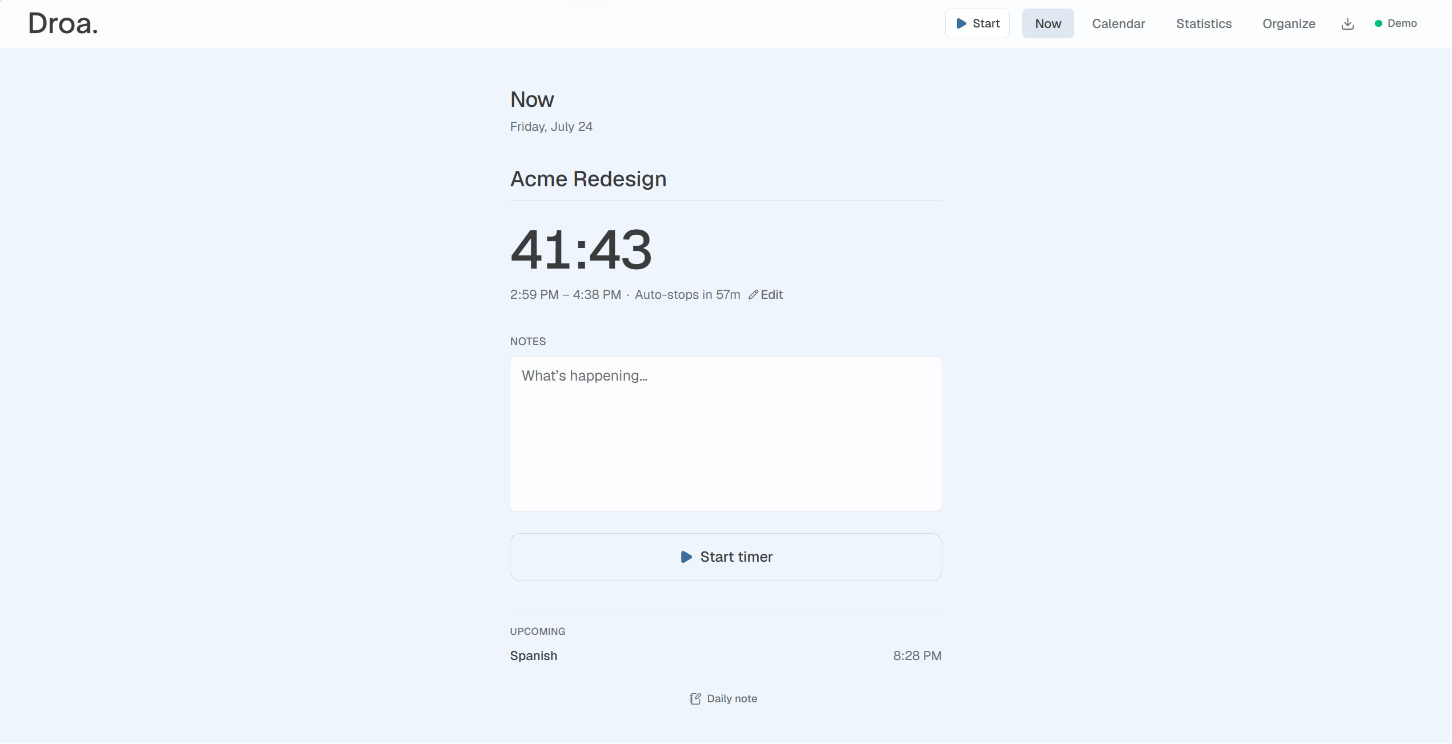
Now
Start a session in two clicks, write notes while it runs, and set an auto-stop so a forgotten timer does not eat the evening. Up to three run at once for overlapping work.
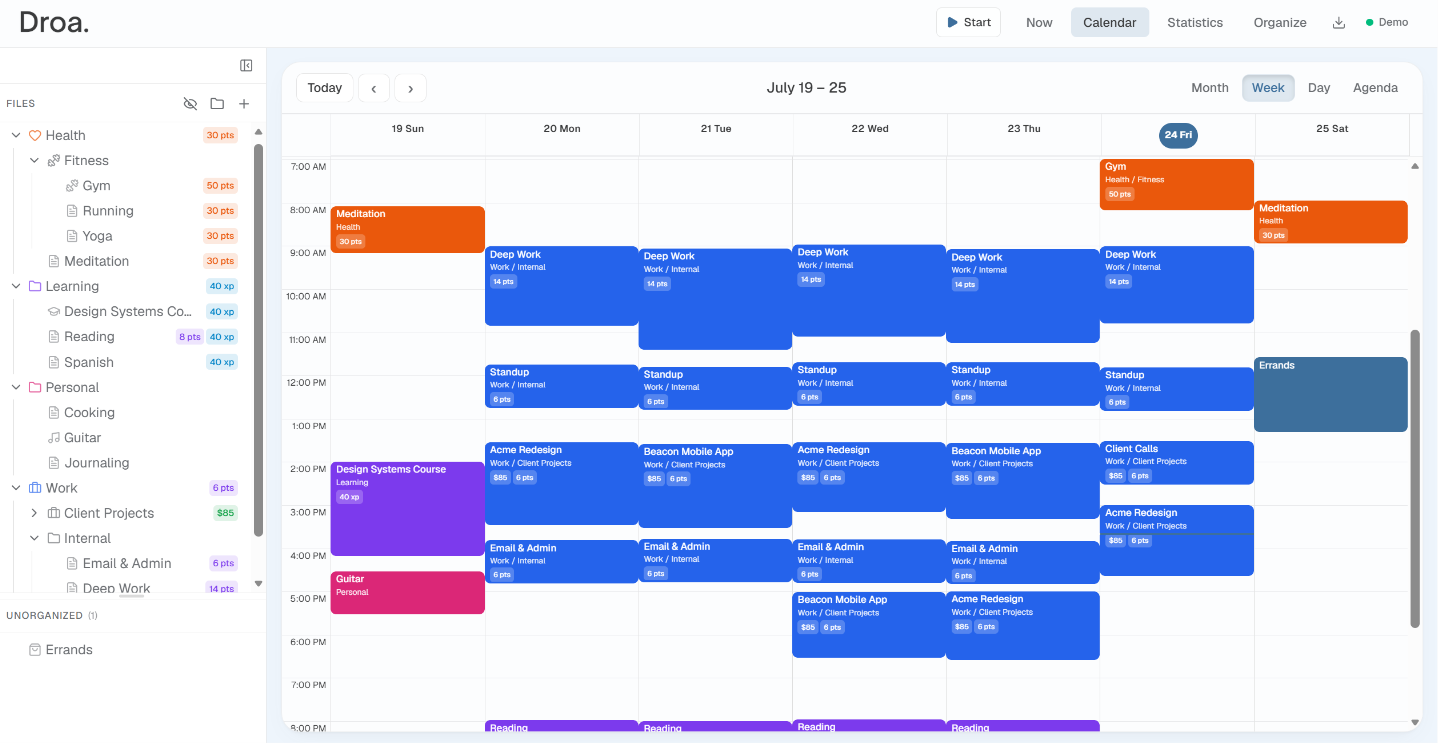
Calendar
The week at a glance: sessions color-coded by folder, drag and resize to fix times, multi-select, recurrence, and the activity tree one click away. Log past time or block out future time.
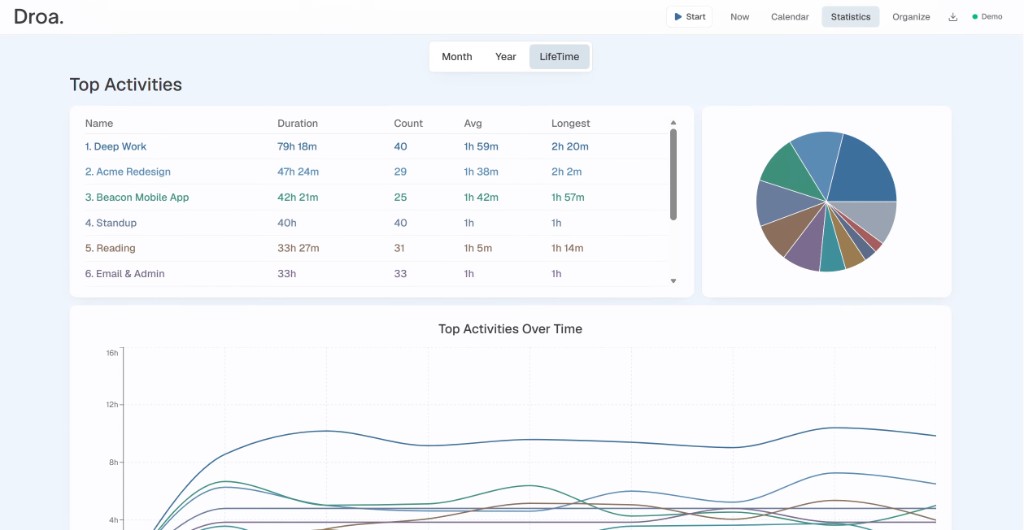
Stats
Where the time actually went. Top activities, longest sessions, streaks, and day-of-week patterns, scoped to a single file or a whole folder.
Tech
1. One data model
Timers, manual entry, ICS files, Google Calendar, and AI agents all write the same session record. The calendar, the charts, and the insights are computed from that log rather than stored separately. A new way to capture time is a new adapter over the same model.
2. Conflict resolution
Conflicts resolve last write wins on a client clock, which is far less machinery than CRDTs when every writer is one person's own device. Sync pulls remote rows, hands them to a planner that returns a plan, then applies it, with no network calls inside the decision. That separation is what makes around 600 tests practical, including property-based ones that generate conflict cases by the thousand.
3. Live timers
A running timer is a row whose end moves every second, and two open tabs plus an agent can all be writing it at once. The tick that extends it deliberately does not count as an edit, so a note typed on your phone still wins. Postgres rejects any write older than the row it would replace.
4. MCP server
Mid-session you can ask Claude or Cursor to write what you just did into the running session's notes, or pull earlier notes back as context. Agents reach the same tables through MCP under the same permissions and conflict rules as the app itself.